[Skip to main content](https://www.metrobyt-mobile.com#content-main)
[](https://www.metrobyt-mobile.com/)
Log in
[](https://www.metrobyt-mobile.com/)
Search
Search Submit search query Close out of search
Recent Search0 recent searches
Popular0 popular search suggestions
Categoriesundefined categories
Suggestions0 search suggestions
Top Suggestions
- [](https://www.metrobyt-mobile.com)
undefined top suggestions
- [My account](https://www.metrobyt-mobile.com/my-account/dashboard)
- [Monthly total](https://www.metrobyt-mobile.com/my-account/monthlytotal)
- [Plans](https://www.metrobyt-mobile.com/phone-plans) Plans
- [Cell phone plans](https://www.metrobyt-mobile.com/phone-plans)
- [Watch & tablet plans](https://www.metrobyt-mobile.com/plans/connected-devices)
- [Home Internet plans](https://www.metrobyt-mobile.com/plans/home-internet)
- [Bring Your Own Phone](https://www.metrobyt-mobile.com/deals/one-line-for-25-phone-plan)
- [Add Ons](https://www.metrobyt-mobile.com/shop/services?INTNAV=tNav%3APlans%3AServices)
- [$40 Period.](https://www.metrobyt-mobile.com/deals/40Period)
- [Phones & devices](https://www.metrobyt-mobile.com/cell-phones) Phones & devices
- [Cell phones](https://www.metrobyt-mobile.com/cell-phones)
- [Apple iPhones](https://www.metrobyt-mobile.com/cell-phones/brand/apple)
- [Android phones](https://www.metrobyt-mobile.com/cell-phones/osy/android)
- [Tablets](https://www.metrobyt-mobile.com/tablets)
- [Smart watches](https://www.metrobyt-mobile.com/smart-watches)
- [Bring your own phone](https://www.metrobyt-mobile.com/resources/bring-your-own-phone)
- [Device trade-in](https://www.metrobyt-mobile.com/trade-in)
- [Activate](https://www.metrobyt-mobile.com/resources/activate)
- [Plans](https://www.metrobyt-mobile.com/phone-plans) Plans
- [Watch & tablet plans](https://www.metrobyt-mobile.com/plans/connected-devices)
- [Internet plans](https://www.metrobyt-mobile.com/plans/home-internet)
- [Add Ons](https://www.metrobyt-mobile.com/shop/services?INTNAV=tNav%3APlans%3AServices)
- [Deals](https://www.metrobyt-mobile.com/deals) Deals
- [See all deals](https://www.metrobyt-mobile.com/deals)
- [Apple](https://www.metrobyt-mobile.com/deals/apple)
- [Samsung](https://www.metrobyt-mobile.com/deals/samsung)
- [Motorola](https://www.metrobyt-mobile.com/deals/motorola)
- [Revvl](https://www.metrobyt-mobile.com/deals/revvl)
- [Free Phones](https://www.metrobyt-mobile.com/deals/free-phone-when-you-switch)
- [Upgrades](https://www.metrobyt-mobile.com/deals/upgrades)
- [Coverage](https://www.metrobyt-mobile.com/coverage/network) Coverage
- [Explore 5G network](https://www.metrobyt-mobile.com/coverage/network)
- [5G & 4G coverage map](https://www.metrobyt-mobile.com/coverage/coverage-map)
- [Why Metro](https://www.metrobyt-mobile.com/why-metro) Why Metro
- [Our Story](https://www.metrobyt-mobile.com/why-metro)
- [Benefits](https://www.metrobyt-mobile.com/benefits)
- [The Metro Drop](https://www.metrobyt-mobile.com/the-drop)
- [More On Your Table](https://www.metrobyt-mobile.com/moreonyourtable)
[Find a store](https://www.metrobyt-mobile.com/stores/locator/)
[Help](https://www.metrobyt-mobile.com) Help
- Chat with us
- [1-888-8metro8](tel:1-888-8metro8)
- [Online support](https://www.metrobyt-mobile.com/support)
- [Contact us](https://www.metrobyt-mobile.com/contact-us)
- [Learn about eSIM](https://www.metrobyt-mobile.com/resources/esim)
- [Order tracking & activation](https://www.metrobyt-mobile.com/order-status)
- [Order support](https://www.metrobyt-mobile.com/ordersupport)
[Cart](https://www.metrobyt-mobile.com/shop/review)
Search
Search Submit search query Close out of search
Recent Search0 recent searches
Popular0 popular search suggestions
Categoriesundefined categories
Suggestions0 search suggestions
Top Suggestions
- [](https://www.metrobyt-mobile.com)
undefined top suggestions
[Easy pay](https://www.metrobyt-mobile.com/guestpay/landing)
My account
[Log in](https://www.metrobyt-mobile.com/login/start) [Back to my account](https://www.metrobyt-mobile.com/my-account/dashboard?INTNAV=tNav%3ABackToMyAccount)
- [Enroll in AutoPay](https://www.metrobyt-mobile.com/login/sign-in?callback_uri=https%3A%2F%2Fwww.metrobyt-mobile.com%2Fmy-account%2Fprofile)
- [View account history](https://www.metrobyt-mobile.com/my-account/history?INTNAV=tNav%3AMyaccount%3AViewaccounthistory)
- [Add a New Line](https://www.metrobyt-mobile.com/login/sign-in?flow=AAL)
- [Profile](https://www.metrobyt-mobile.com/my-account/profile)
- [Account history](https://www.metrobyt-mobile.com/my-account/history)
- [Logout](https://www.metrobyt-mobile.com/my-account/sign-out)
- [Upgrade](https://www.metrobyt-mobile.com/login/start?flow=UPG)
[](https://www.metrobyt-mobile.com)
# The SIM card or eSIM is your device's ticket to the Metro by T-Mobile Network!
- [What's an eSIM?](https://www.metrobyt-mobile.com/resources/esim#esim1)
- [Download your eSIM](https://www.metrobyt-mobile.com/resources/esim#esim2)
- [Activate on eSIM](https://www.metrobyt-mobile.com/resources/esim#esim3)
- [How to find your EID Number](https://www.metrobyt-mobile.com/resources/esim#esim4)
- [Get help](https://www.metrobyt-mobile.com/resources/esim#esim5)
- [FAQ](https://www.metrobyt-mobile.com/resources/esim#esim6)
## What's an eSIM?
- Embedded SIM (eSIM) is just a SIM card gone digital. Like a SIM card, an eSIM provides your connection to the Metro by T-Mobile network.
- eSIM provides an easier device set up experience, without the need to insert or replace a physical SIM card.
## Download your eSIM
__I purchased a new Metro device activated on eSIM__
Before you begin, power on your device, and make sure you’re connected to Wi-Fi.
- ### Apple iPhone
- During the initial setup, you will see "__Setting Up Cellular__" screen. Your device will automatically download your eSIM profile and you will be connected to the T-Mobile network.
- ### Samsung
- During the initial setup, you will see the "__Preparing for mobile connection__" screen. Your device will automatically download your eSIM profile and you will be connected to the T-Mobile network.
- ### Google Pixel
- During the initial setup, you will see the "__Connect to Metro by T-Mobile__" screen. Tap on ‘__Connect__’ to download your eSIM profile and you will be connected to the T-Mobile network.
- ### Motorola
- During the initial setup, you will see the "__Use Metro by T-Mobile__" screen. Tap on ‘__Activate’__ to download your eSIM profile and you will be connected to the T-Mobile network.
- ### Other
- During the initial setup, you will see the "__Connect to Metro by T-Mobile__" screen. Tap on ‘__Connect’__ to download your eSIM profile and you will be connected to the T-Mobile network.
__I brought my own eSIM compatible device and activated on eSIM__
Before you begin, make sure you’re connected to Wi-Fi.
- ### Apple iPhone
1. Watch for a __Notification__ on your device that an eSIM from __Metro by T-Mobile__ is ready to be set up on your phone
2. Tap the __Notification__ to download your eSIM and connect to the T-Mobile network
If you did not receive the __Notification__, follow these steps:
1. From your home screen, tap __Settings > Cellular > Add eSIM__
2. Use your phone camera to scan the QR code or manually enter the SMDP+ address shown below
3. Tap __Add Cellular Plan__
- ### Samsung
1. Watch for a __Notification__ on your device that Your eSIM is ready to add
2. Tap ‘__Add eSIM__’ on the notification to download your eSIM and connect to the T-Mobile network
If you didn’t receive the __Notification__, follow these steps:
1. From your home screen, tap __Settings__ > __Connections__ > __SIM Manager__ > __Add eSIM__
2. Select __Metro by T-Mobile__, then __Add__ to download your eSIM and connect to the T-Mobile Network
- ### Google Pixel
1. Watch for a __Notification__ on your device that Your __Metro by T-Mobile__ eSIM is ready to add
2. Tap the notification and Tap ‘__Connect__’ to download your eSIM and connect to the T-Mobile network
If you didn’t receive the __Notification__, follow these steps:
1. From your home screen, tap __Settings__ > __Network & Internet__
2. Next to __SIMs__, choose the plus symbol __(+)__
3. Tap __Download your eSIM__ > __Next__
4. Select __Metro by T-Mobile,__ then __Activate__ to download your eSIM and connect to the T-Mobile Network
5. Once your eSIM finishes downloading, tap __Settings__ > __Metro by T-Mobile__ and turn on __Use eSIM__
6. Tap __Switch to Metro by T-Mobile__ to connect to the T-Mobile Network
If you’re prompted to scan a QR code, please have your IMEI and EID ready and give us a call: 1-800-937-8997. To find your IMEI and EID dial \*#06# from your phone.
- ### Motorola
1. From your home screen, tap __Settings__ > __Network & Internet__
2. Next to __Mobile network__, choose the plus symbol __(+)__
3. Tap __Download a SIM instead__ > __Next__
4. Select __Metro by T-Mobile,__ then __Download__ to download your eSIM and connect to the T-Mobile Network
5. Once your eSIM finishes downloading, tap __Settings__ > __Metro by T-Mobile__ and turn on __Use SIM__
6. Tap __Turn on Metro by T-Mobile__ to connect to the T-Mobile Network
If you’re prompted to scan a QR code, please have your IMEI and EID ready and give us a call: 1-800-937-8997. To find your IMEI and EID dial \*#06# from your phone.
- ### Other
1. From your home screen, tap Settings > Network & Internet
2. Choose Add SIM
3. Tap Set up an eSIM
4. Select Metro by T-Mobile, then Set up to download your eSIM and connect to the T-Mobile Network
5. Once your eSIM finishes downloading, tap Settings > Metro by T-Mobile and Toggle SIM OFF to ON
6. Tap TURN ON to connect to the T-Mobile Network
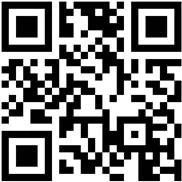
- __SM-DP+ Address:__ T-MOBILE.GDSB.NET
- __Activation code:__ \[Blank]
- __Confirmation code:__ \[Blank]
*Still having issues?*
1. Make sure you’ve already activated your eSIM online or with a Metro by T-Mobile support team.
2. Update your device software to the latest version.
3. Connect your device to Wi-Fi and make sure you can access the internet.
4. Follow the steps listed [__above__](https://www.metrobyt-mobile.com/resources/esim#esim2) to finish activating your eSIM.
## Activate on eSIM
- __Is my device eSIM compatible?__
- Apple - iPhone XR and above
- Samsung - Galaxy S Series and Note 20 and Above
- Google - Pixel 7 and above
- Motorola - Motorola Moto G Stylus 5G 2023 and newer models, Motorola Razr+ 2023 and newer models, Motorola Moto G 5G 2023
- TCL- TCL 50 XL 5G
- __How do I Activate my eSIM compatible device?__
- New customers can [__Activate__](https://www.metrobyt-mobile.com/self-service/activate) from the Metro by T-Mobile website
- Existing customers can switch to an eSIM compatible device by going to [__Switch Device__](https://www.metrobyt-mobile.com/my-account/sign-in) in MyAccount
- Call Metro Customer CARE (*1-888-8metro8)*
- Go to a Metro-by-T-Mobile Store (__[*Find a store*](https://www.metrobyt-mobile.com/storelocator)__)
- __What if my device is not eSIM compatible?__
- If you need a Metro by T-Mobile SIM card, see our SIM card page to order online. You can also find one in a [__Metro by T-Mobile store__](https://www.metrobyt-mobile.com/shop/phones)
## How to find your EID number:
- __Apple iPhone__
Go to __Settings > General > About__
- __Android__
Go to __Settings > About Phone > SIM Status__ or __Status Information__
## Get help
- Metro by T-Mobile [__Help and Support__](https://www.metrobyt-mobile.com/contact-us).
## FAQ
- ## What devices support eSIM at Metro by T-Mobile?
- Apple - iPhone XR and above
- Samsung - Galaxy S Series and Note 20 and Above
- Google - Pixel 7 and above
- Motorola- Motorola Moto G Stylus 5G 2023 and newer models, Motorola Razr+ 2023 and newer models, Motorola Moto G 5G 2023
- TCL- TCL 50 XL 5G
- ## Can I use the same rate plan on eSIM as I do for a physical SIM? Can I keep my current rate plan when I move to eSIM?
Yes! When you activate a new line of service for your smartphone’s eSIM, you will have the same rate plan choices you would for a physical SIM. If you want to swap your existing Metro-by-T-Mobile line of service to eSIM, then you will keep the same rate plan.
- ## Can my Metro by T-Mobile eSIM capable device support two lines?
No, not at this time. Only one line of service can be activated on a single device.
- ## What happens if I accidentally delete my eSIM from my phone? How do I get it back?
Go to a retail store or call care and we will give you a new eSIM.
- ## Does this mean that you have my data backed up somewhere when I want to delete it?
No, Metro-by-T-Mobile does not maintain your personal data.
- ## How do I know if my iPhone is unlocked?
1. Go to Settings > General, and tap About.
2. Under Carrier Lock, you should see a message that says "No SIM restrictions." If you don't see that message, contact Metro by T-Mobile Help and Support.
- ## Can I still use my eSIM if I travel internationally?
Yes, international roaming with an eSIM works the same as roaming with a physical SIM.
## Follow Metro by T-Mobile
- [Tiktok](https://www.tiktok.com/@metrobytmobile)
- [Instagram](https://www.instagram.com/metrobytmobile/)
- [You Tube](https://www.youtube.com/metrobytmobile/)
- [Facebook](https://www.facebook.com/metrobytmobile/)
- [X](https://twitter.com/metrobytmobile/)
- [English](https://www.metrobyt-mobile.com)
- [Español](https://www.metrobyt-mobile.com)
- ### About
About
- [Why Metro?](https://www.metrobyt-mobile.com/benefits)
- [Metro by T-Mobile careers](https://careers.t-mobile.com/retail-jobs?INTNAV=fNav%3AAbout%3ARetailCareers&INTNAV=fNav%3AAbout%3AMetrobyT-Mobilecareers)
- [Become a dealer](https://www.metrobyt-mobile.com/dealers/become-dealer)
- [Investor relations](https://investor.t-mobile.com/overview/default.aspx?INTNAV=fNav%3AAbout%3AInvestorRelations)
- ### Support
Support
- [Account Protection](https://www.metrobyt-mobile.com/support/security/how-to-avoid-account-takeover-fraud)
- [Affirm device financing](https://www.metrobyt-mobile.com/resources/device-financing)
- [Activate](https://www.metrobyt-mobile.com/resources/activate)
- [Return Policy](https://www.metrobyt-mobile.com/support/orders/return-policy)
- [Frequently Asked Questions](https://www.metrobyt-mobile.com/support)
- [Affordable Connectivity Program](https://www.metrobyt-mobile.com/benefits/affordable-connectivity-program)
- [Keeping Customers Safe](https://www.metrobyt-mobile.com/resources/keeping-customers-safe-connected)
- ### Legal
Legal
- [Terms & conditions](https://www.metrobyt-mobile.com/terms-and-conditions)
- [Consumer protection](https://www.metrobyt-mobile.com/terms-and-conditions/consumer-protection)
- [Accessibility](https://www.metrobyt-mobile.com/about/accessibility)
- [Open Internet](https://www.metrobyt-mobile.com/terms-and-conditions/open-internet)
- [Wireless emergency alerts](https://www.metrobyt-mobile.com/terms-and-conditions/wireless-emergency-alerts)
- [Unsubscribe](https://www.metrobyt-mobile.com/optout)
- ### Benefits
Benefits
- [T-Mobile Tuesdays](https://www.metrobyt-mobile.com/benefits/t-mobile-tuesdays)
- [Ad It Up](https://www.metrobyt-mobile.com/benefits/ad-it-up#INTNAV=fNav:Benefis:AdItUp)
- [Refer a Friend](https://www.metrobyt-mobile.com/benefits/refer-a-friend)
- [myMetro® app](https://www.metrobyt-mobile.com/apps)
- ### Devices
Devices
- [Apple iPhones](https://www.metrobyt-mobile.com/cell-phones/brand/apple)
- [Android Phones](https://www.metrobyt-mobile.com/cell-phones/osy/android#INTNAV=fNav:Devices:AndroidPhones)
- [Tablets](https://www.metrobyt-mobile.com/tablets)
- [Smartwatches](https://www.metrobyt-mobile.com/smart-watches)
- ### Plans
Plans
- [Prepaid Phone Plans](https://www.metrobyt-mobile.com/phone-plans)
- [Home Internet Plans](https://www.metrobyt-mobile.com/plans/home-internet)
- [Device Data Plans](https://www.metrobyt-mobile.com/plans/connected-devices)
- [Bring Your Own Phone](https://www.metrobyt-mobile.com/deals/one-line-for-25-phone-plan)
[](https://www.t-mobile.com/?INTNAV=fNav%3AHome)
- [About](https://www.t-mobile.com/about-us?INTNAV=fNav%3AAbout)
- [Investor relations](https://investor.t-mobile.com/investors/default.aspx?INTNAV=fNav%3AInvestorrelations)
- [Press](https://www.t-mobile.com/news?INTNAV=fNav%3APress)
- [Careers](https://www.t-mobile.com/careers?INTNAV=fNav%3ACareers)
- [Deutsche Telekom](https://www.telekom.com/en?INTNAV=fNav%3ADeutscheTelekom)
- [Puerto Rico](https://www.t-mobilepr.com/?INTNAV=fNav%3APuertoRico)
- [Privacy notice](https://www.t-mobile.com/privacy-center/privacy-notices/t-mobile-privacy-notice?INTNAV=fNav%3APrivacynotice)
- [Interest-based ads](https://www.t-mobile.com/privacy-center/education-and-resources/advertising-analytics?INTNAV=fNav%3AInternetbasedads)
- [Privacy Center](https://www.t-mobile.com/privacy-center?INTNAV=fNav%3APrivacyCenter)
- [Consumer information](https://www.t-mobile.com/responsibility/consumer-info?INTNAV=fNav%3AConsumerinformation)
- [Public safety/911](https://www.t-mobile.com/responsibility/consumer-info/safety/9-1-1?INTNAV=fNav%3APublicsafety911)
- [Terms & conditions](https://www.t-mobile.com/responsibility/legal/terms-and-conditions?INTNAV=fNav%3ATermsandConditions)
- [Terms of use](https://www.t-mobile.com/responsibility/consumer-info/policies/terms-of-use?INTNAV=fNav%3ATermsOfUse)
- [Accessibility](https://www.t-mobile.com/responsibility/consumer-info/accessibility-policy?INTNAV=fNav%3AAccessibility)
- [Open Internet](https://www.t-mobile.com/responsibility/consumer-info/policies/internet-service?INTNAV=fNav%3AOpenInternet)
- [Do Not Sell or Share My Personal Information](https://www.metrobyt-mobile.com)
- [Consumer Health Data Privacy Policy](https://www.t-mobile.com/privacy-center/privacy-notices/t-mobile-privacy-notice.html?INTNAV=fNav%3AConsumerHealthDataPrivacyPolicy#health-data-privacy-notice)
- [Tiktok](https://www.tiktok.com/@metrobytmobile)
- [Instagram](https://www.instagram.com/metrobytmobile/)
- [You Tube](https://www.youtube.com/metrobytmobile/)
- [Facebook](https://www.facebook.com/metrobytmobile/)
- [X](https://twitter.com/metrobytmobile/)
© 2026 T‑Mobile USA, Inc.