English | Español

Featured products at Metro by T-Mobile 280 Vista Village Dr

Shop all products

In-store services at Metro by T-Mobile 280 Vista Village Dr

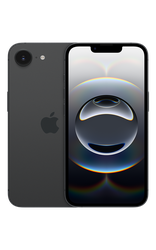
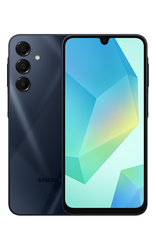
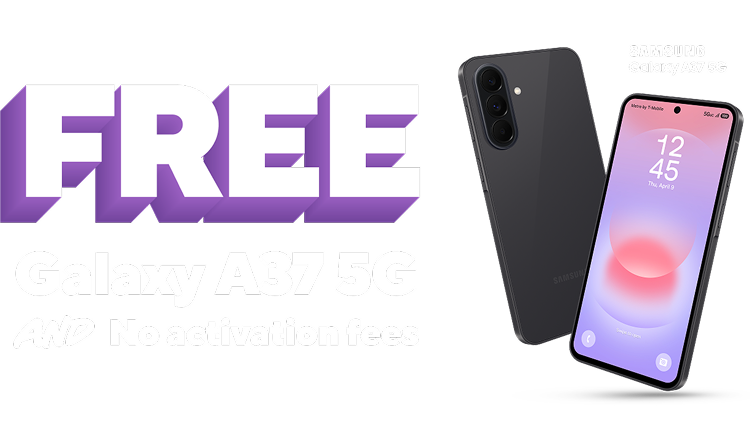
Shop this Metro by T-Mobile store to find your next device or prepaid phone plan. We have the largest selection of free 5g phones in wireless, along with great deals on iPhones and Samsung devices. Visit this location in - to switch or get help with your prepaid service.

There's more to love at Metro by T-Mobile 280 Vista Village Dr

Additional information about Metro by T-Mobile 280 Vista Village Dr

IDs Accepted
  • US State issued drivers license
  • US Passport or Permanent Resident Card (Green Card)
  • State ID
  • International student visa with passport (Visa types: M, J, F)
  • Matricula Consular card (Mexico and most Latin American countries, check with your store mobile expert)
  • Employment Authorization Document (EAD)
  • US Military ID

Featured reviews at Metro by T-Mobile 280 Vista Village Dr

Eric Nelson
June 16, 2025, 3:01 p.m.
Google reviews can be short and sweet or detailed and descriptive. They often highlight the quality of products or services, the level of customer service, or the overall experience with a business. Good reviews often include specific examples and details that make the feedback more helpful to the business and other potential customers. Here are some examples of Google reviews, categorized by what they focus on: Positive Reviews: Product Focused: "The quality of the [product] is exceptional. I was particularly impressed with the [specific feature/detail]. Highly recommend!" Service Focused: "The staff at [Business Name] were incredibly helpful and friendly. They went above and beyond to ensure I had a great experience." Overall Experience: "I had a fantastic experience at [Business Name]. The atmosphere was welcoming, the food was delicious, and the service was top-notch. I'll definitely be back!" Specific Example: "I recently purchased the [product] and the battery life is amazing, a game changer for my gaming experience!" SurveySparrow says Tips for Writing Effective Google Reviews: Be specific: Instead of just saying "good service," explain what made it good. For example, "The staff was very attentive and friendly." Focus on details: Mention specific products, features, or aspects of the service that stood out. Be honest and constructive: Share your genuine experience, both positive and negative. Be respectful: Even if you had a negative experience, try to provide constructive feedback in a polite and helpful manner. Include a rating: Google reviews typically include a star rating, so be sure to select the appropriate rating based on your experience. Examples of how to respond to positive reviews: "Thank you for your kind words! We're so glad you enjoyed your experience at [Business Name]." "We appreciate you taking the time to leave us a review. We're thrilled to hear you loved our [product/service]!" according to EmbedSocial "Your feedback made our day! We're happy to hear you had a great time." Examples of how to respond to negative reviews: "We are sorry to hear that your experience was not what you expected. We would like to learn more about what went wrong so we can improve. Please feel free to contact us directly." "Thank you for your feedback. We apologize for the negative experience and would like to invite you to reach out to us so we can discuss this further." Cellphone store girl 😀 Moto G View on Google

Locations near Metro by T-Mobile 280 Vista Village Dr

Authorized Retailer
Metro by T-Mobile 988 Civic Center Dr
0.9 miles away
4.1
Authorized Retailer
Metro by T-Mobile 777 E Vista Way
1.0 miles away
5.0
Authorized Retailer
Metro by T-Mobile 1120 N Santa Fe Ave
1.1 miles away
4.8

Got Questions about Metro by T-Mobile Stores?

Metro by T-Mobile has multiple ways to make your payment, including: 

  • In-store 
  • Online by visiting https://www.metrobyt-mobile.com/guestpay/landing
  • Using the MyMetro app 
  • Calling Customer Service at 1-888-863-8768 or 611 from your mobile phone  
  • Set up AutoPay in-store, via the MyMetro app, or by calling Customer Service 

If your phone is unlocked from the previous provider, you can check the device compatibility at Metro by T-Mobile's compatibility checker.

Head to a store or call Customer Care at 888-863-8768 to see your upgrade options or check out the newest Metro Flex options. 

Yes. If your phone is eSIM capable, we can get you set up in-store or online through metrobyt-mobile.com/resources/bring-your-own-phone.

Check out our latest deals at https://www.metrobyt-mobile.com/deals.

Please check with your local Metro by T-Mobile store or view our online inventory.

You can trade in your old phone when you buy a new one at any Metro by T-Mobile store.  For more information on trade-ins check out our website.

Sure! Visit a Metro by T-Mobile store to talk to one of our experts or call customer care at 1-888-863-8768.

You can find accessories for your phone at your local Metro by T-Mobile store.

Prime is included with our Metro Flex Plus plans. Check out the details on metrobyt-mobile.com/benefits/amazon-prime.